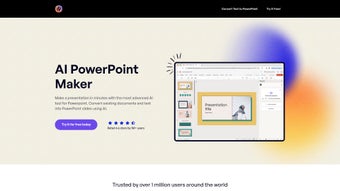

Download AI PowerPoint Maker – AI‑Driven Presentation Builder, Free & Secure
Overview – Why AI PowerPoint Maker Is Changing the Presentation Landscape
In today’s fast‑paced business environment, professionals, educators, and students constantly juggle tight deadlines with the need to deliver visually compelling presentations. Traditional slide creation often involves hours of manual formatting, searching for appropriate graphics, and ensuring brand consistency—tasks that can drain creativity and reduce productivity. AI PowerPoint Maker addresses these pain points by offering a web‑based, AI‑enhanced engine that converts raw documents—such as Word files, PDFs, or simple text prompts—into polished PowerPoint decks in seconds.
The platform leverages state‑of‑the‑art generative AI models trained on millions of slide designs, enabling it to understand context, hierarchy, and visual storytelling principles. Users simply upload their source material, choose a template, and let the AI handle layout, typography, image placement, and color matching. Because the generated slides are native PowerPoint files, they open seamlessly in Microsoft 365, PowerPoint Online, or any compatible viewer, preserving full editability.
The tool also supports collaborative workspaces where teams can co‑author, comment, and approve decks in real time, reducing the endless email back‑and‑forth that typically accompanies group projects. Whether you need a sales pitch, a lecture series, or a quarterly report, AI PowerPoint Maker streamlines the workflow, cuts design fatigue, and ensures every slide reflects a professional aesthetic. Its secure cloud infrastructure, end‑to‑end encryption, and compliance with ISO‑27001 standards give enterprises confidence that sensitive data remains protected throughout the generation process.
Key Features, Pros & Cons, and Frequently Asked Questions
Feature Highlights (itemprop="featureList")
- AI‑driven conversion of Word, PDF, and plain‑text documents into fully formatted PowerPoint slides.
- Library of over 300 professionally designed templates with automatic color‑matching to your brand palette.
- Real‑time collaborative workspaces that let multiple users edit, comment, and approve decks simultaneously.
- Brand‑enforcement rules for logos, fonts, and corporate colors to guarantee visual consistency.
- One‑click regeneration of slides when source content is updated, preserving layout integrity.
- Secure cloud processing with TLS 1.3 encryption and automatic deletion of files after 48 hours.
- Seamless integration with Microsoft 365, Google Drive, Dropbox, and OneDrive for effortless file import/export.
- Multi‑language support for English, Spanish, French, German, Chinese, and more.
- Version history and rollback capabilities for every edit, ensuring no work is ever lost.
- Free tier with unlimited document uploads; Pro plan unlocks premium templates, API access, and priority processing.
Pros
- Lightning‑fast slide generation that saves hours of manual design work.
- Intuitive interface mirrors native PowerPoint, eliminating learning curves.
- Robust collaboration tools reduce email overload and streamline approvals.
- Brand‑enforcement guarantees consistent visual identity across all presentations.
- Secure, GDPR‑compliant cloud architecture protects confidential data.
- API access in Pro plan enables automated deck creation from CRMs or internal systems.
Cons
- Requires a stable internet connection; no offline mode is available.
- Free tier restricts access to some premium templates and advanced automation.
- Complex tables or heavily formatted data may need manual fine‑tuning after conversion.
- Large PDF files over 100 MB can increase processing time noticeably.
- Full editing capabilities are optimal with a Microsoft 365 subscription.
Frequently Asked Questions (FAQ)
Is AI PowerPoint Maker free to use?
Yes. The free tier provides unlimited document uploads and access to a core set of templates. Premium templates, API integration, and priority processing are available with the paid Pro plan.
Can I edit the generated slides without a Microsoft PowerPoint license?
Generated decks can be opened and edited in PowerPoint Online (free) or any compatible viewer. For the full suite of editing tools, a Microsoft 365 subscription is recommended.
How does the AI maintain my brand’s visual identity?
Through the “Brand Rules” panel you upload your logo, set primary/secondary colors, and choose approved fonts. The AI then applies these settings to every slide automatically, ensuring brand consistency.
Is my data safe during upload and processing?
All files travel over TLS 1.3 and are stored temporarily in ISO‑27001‑certified data centers. Files are automatically purged after 48 hours unless you explicitly save them in a secure workspace.
Can I automate slide creation from my CRM or ERP system?
Yes. Pro subscribers receive API credentials that let you send raw data (JSON, CSV, etc.) to the AI engine, which returns a ready‑to‑use .pptx file. This is ideal for sales teams needing on‑demand pitch decks.
Installation & Usage – Step‑by‑Step Guide to Getting Your First Deck
Starting with AI PowerPoint Maker is designed to be as frictionless as possible. Follow this comprehensive workflow to create, edit, and share your first AI‑generated presentation:
- Create an account: Visit the official website, click “Sign Up,” and select either the free or Pro plan. Complete email verification to activate your account.
- Connect cloud storage: Link OneDrive, Google Drive, or Dropbox. This enables one‑click import of source documents and automatic saving of generated decks.
- Upload source material: Drag‑and‑drop a Word document, PDF, or paste a plain‑text outline. The AI reads headings, bullet points, and embedded tables to build an initial slide structure.
- Choose a template: Browse the extensive template gallery, filter by industry (marketing, education, finance, etc.), and select a design that matches your brand voice.
- Set AI instructions: In the “Custom Instructions” panel, specify tone (formal, casual), desired slide count, and any special branding rules such as logo placement or color hierarchy.
- Generate the deck: Click “Create Deck.” Within seconds, the AI produces an outline, populates each slide with appropriate visuals, and applies typography that aligns with your chosen template.
- Review and refine: The deck opens directly in PowerPoint Online. Here you can adjust charts, replace placeholder images, or reorder slides. The AI’s output is fully editable, giving you complete control.
- Collaborate in real time: Use the “Share Workspace” button to invite teammates. They can comment, suggest edits, or directly modify slides, with all changes saved instantly.
- Refresh when source updates: If your source document changes, click “Refresh Deck” to re‑run the AI on the updated content, preserving layout integrity while reflecting new information.
- Export or publish: Download the final .pptx file, export to PDF for distribution, or share a live link that allows viewers to present directly from the browser.
Power users on the Pro plan also benefit from API access, enabling automated slide generation from internal tools, marketing automation platforms, or CRM systems. This capability turns AI PowerPoint Maker into a central hub for on‑demand content creation across the organization, further amplifying productivity gains.
Conclusion – Take the Leap and Upgrade Your Presentation Workflow
AI PowerPoint Maker fulfills its promise of turning document chaos into sleek, presentation‑ready slides with minimal effort. By combining cutting‑edge generative AI, deep brand‑control features, and real‑time collaboration, it eliminates the tedious steps that traditionally slow down slide creation. The platform’s secure, browser‑based architecture ensures accessibility across Windows, macOS, Linux, Android, and iOS, while the free tier offers a risk‑free entry point for individuals and small teams.
For enterprises seeking consistent branding, rapid turnaround, and integration with existing cloud storage, the Pro plan delivers API access and priority processing that can be embedded directly into business workflows. Ready to experience a faster, smarter way to build presentations? Download AI PowerPoint Maker today, start with the free plan, and watch your productivity soar.



.png)



